
AMMcare is a Progressive Web Application. This means you can install AMMcare on your phone, so it shows like any regular app you downloaded from the app stores.
First, go to ammcare.ammega.com or ammcare.ammeraalbeltech.com from your mobile phone browser. Chrome, Edge and Safari all work well, but we recommend using Chrome. Using Samsung browser is not recommended.
Then follow the steps below to install AMMcare on your phone.
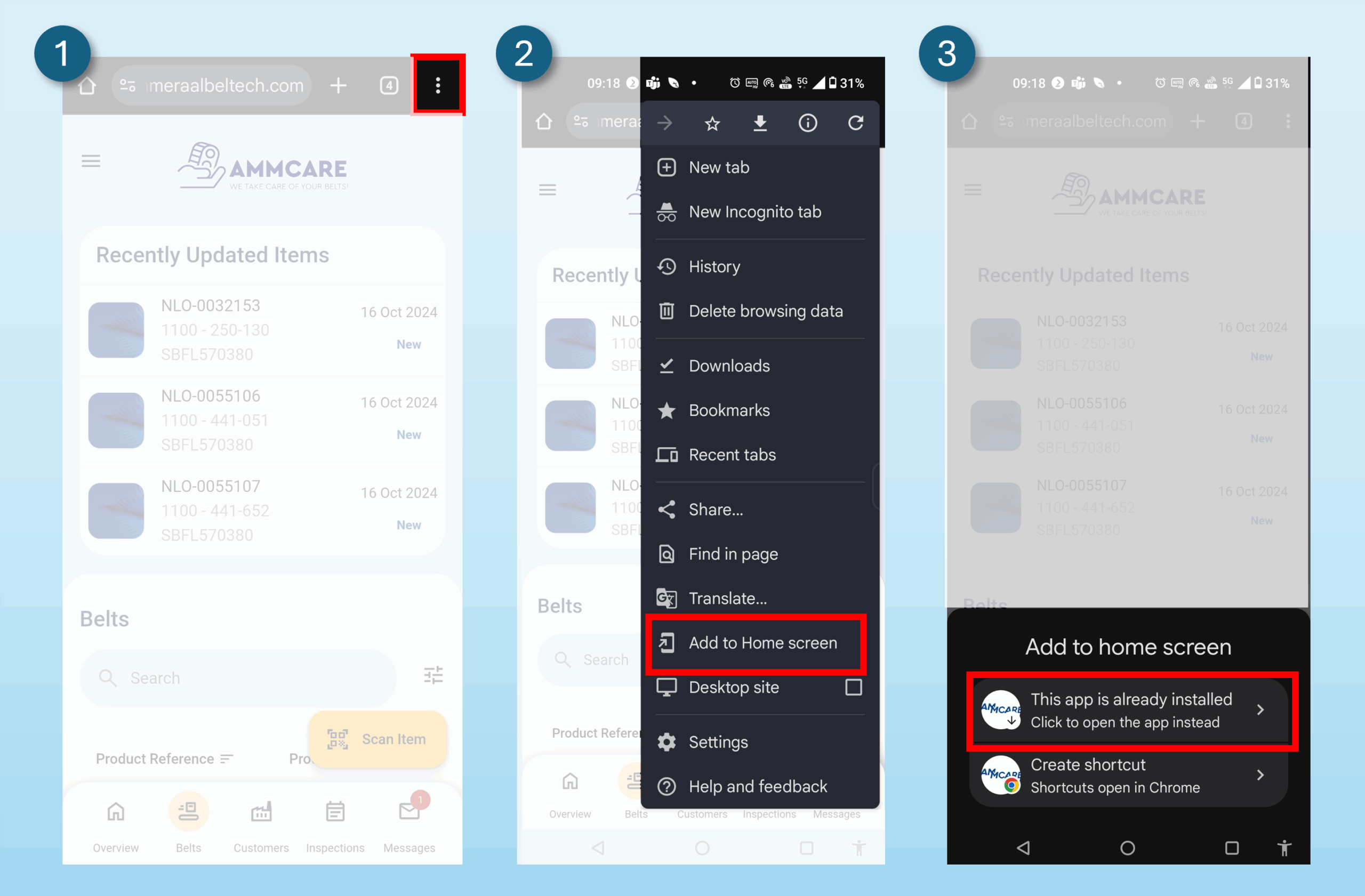
Installing AMMcare on Android
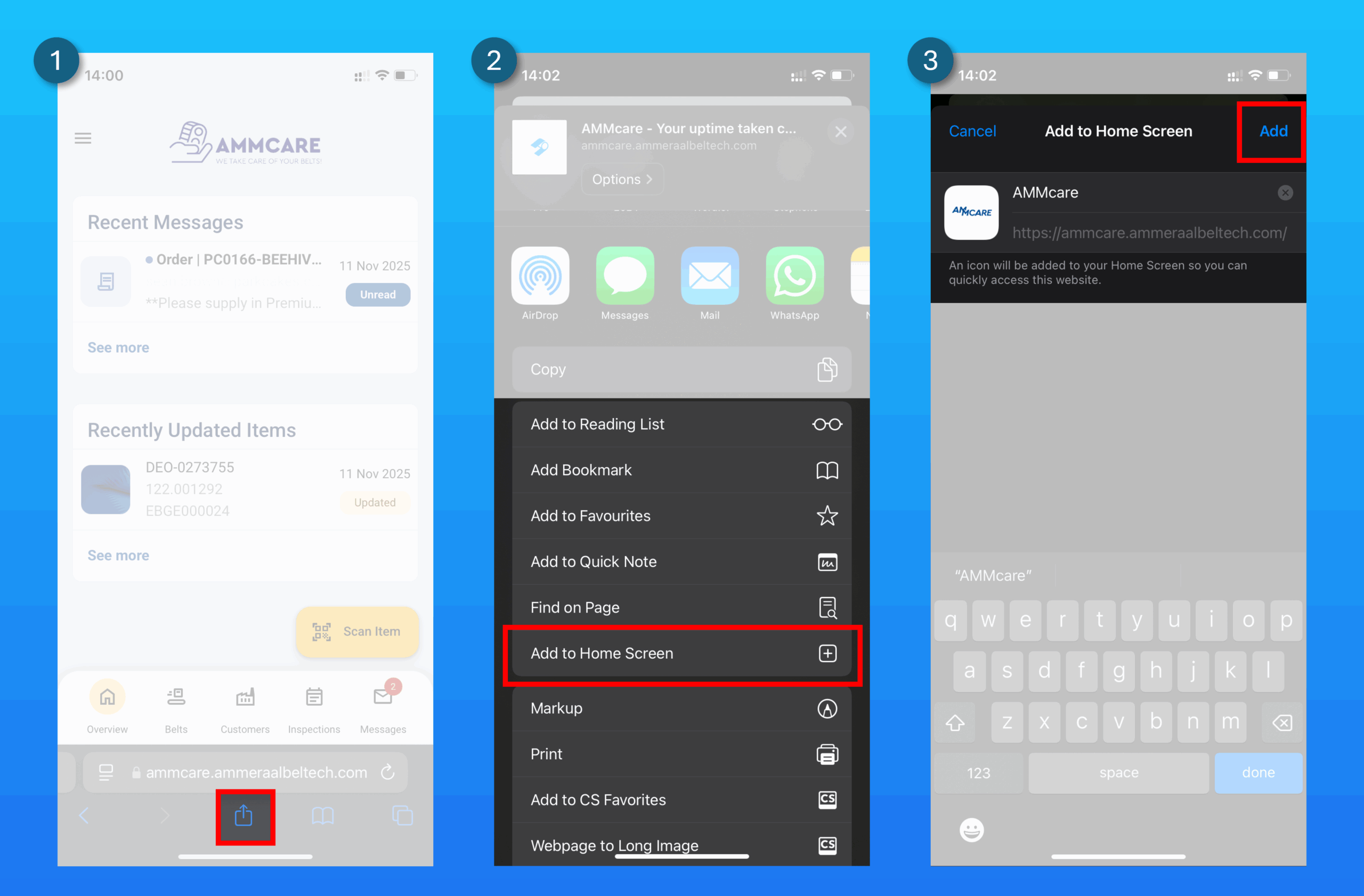
Installing AMMcare on iOS
If you do not have AMMcare installed on your device, do not worry. You can always open AMMcare to see your conveyor belts from your browser.